
01
Today
See your due tasks, client follow-ups, and active projects in one place.
OpenCadence is an open-source workspace for freelancers.
Projects, tasks, notes, and clients, stored locally.
Free & open source Local-first No account needed
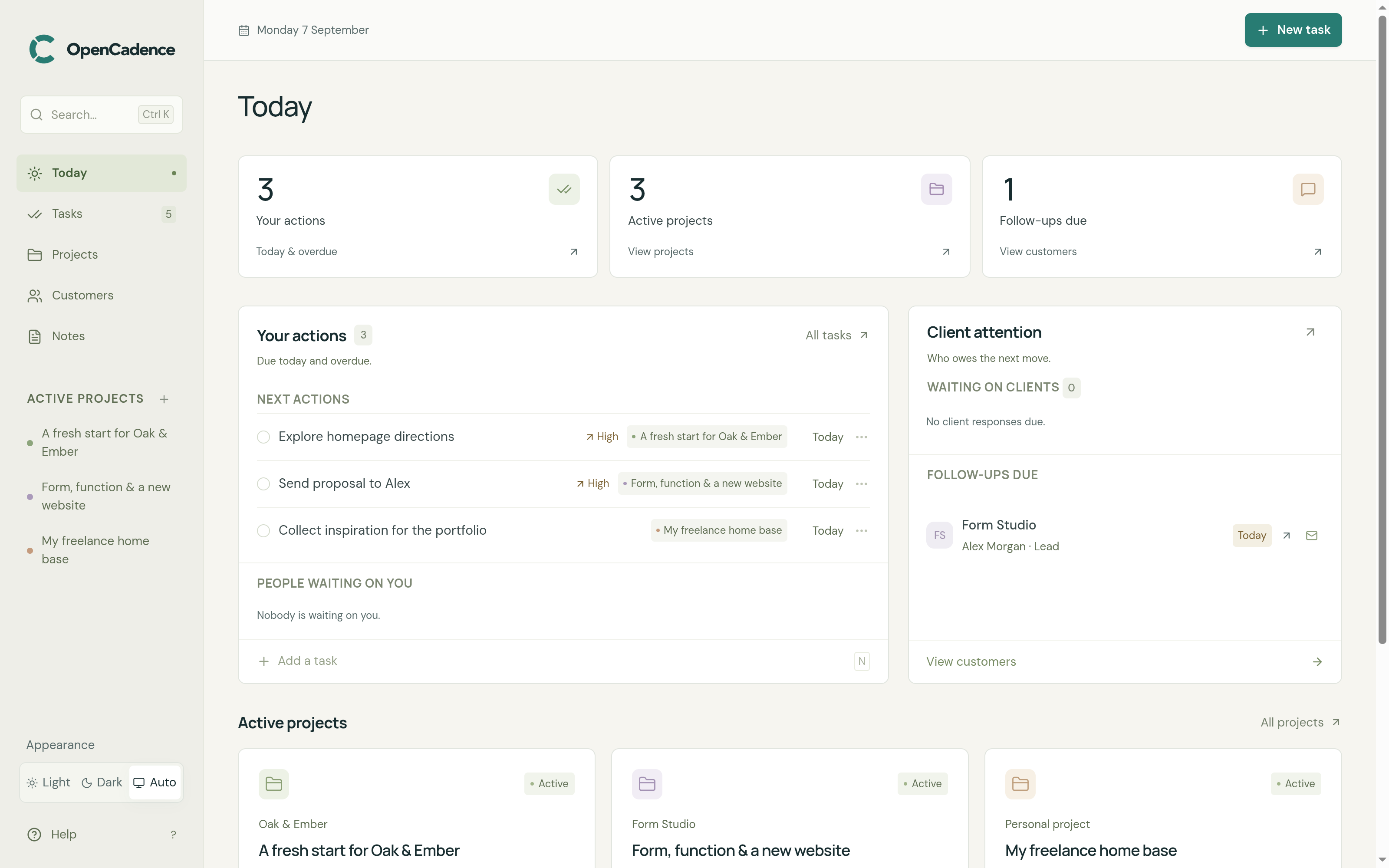
See your due tasks, client follow-ups, and active projects in one place.
Organize tasks and notes by project, set target dates, and track progress.
Manage leads and clients with linked projects, conversation history, and follow-up dates.
Save meeting notes and ideas. Link them to projects or clients, and search them when you need them.
Plan your day, capture an idea, or catch up on a client. Connect your preferred MCP-compatible assistant to the same workspace you use every day.
Explore the MCP connection Optional. You choose the client and model.Let’s give today a little focus.
Start with Emma, then make room for focused design time.
Run OpenCadence locally, or choose managed hosting when Cloud launches.
The complete local app. Free and open source.
Managed hosting and connected services. Currently in development.
Coming soon. No launch date or pricing just yet.
All core features are included in Community. Cloud will offer managed hosting and connected services.
OpenCadence is a free, open-source, local-first workspace for freelancers and independent workers. It combines projects, tasks, plain-text notes, and client relationship management in a single-user app that runs on your machine.
Yes. OpenCadence Community is free and open source under the GNU AGPL v3.0. All core workspace features are included. No subscription is required.
Install Node.js 22.13 or newer, clone the Community repository, then run pnpm install followed by pnpm dev in the project directory. Open the local address printed in your terminal, normally http://127.0.0.1:3000. No cloud account or separate database service is required.
Community installation instructionsCommunity stores your workspace in a SQLite database on your machine. The app doesn’t require a cloud account and makes no runtime third-party requests. If you connect an AI assistant through MCP, the data you ask it to access is shared with your chosen AI client or model.
Yes, with the right setup. The current app is single-user and has no built-in authentication. It’s designed for a trusted local machine; don’t expose it directly to the internet or your network. Remote deployment requires external authentication, authorization, TLS, and a reverse proxy.
Self-hosting and security guideThe optional local Model Context Protocol (MCP) server lets a compatible assistant work with your tasks, projects, clients, and notes in the same database. You choose the client and model, and can use read-only mode. An AI assistant is not required to use OpenCadence.
MCP connection guideOpenCadence Cloud is in development, with no announced launch date or pricing. Managed hosting, synchronization, collaboration, integrations, and support are planned services, not current Community features. Community remains a complete, useful local app in its own right.
Run the Community app on your own machine.
Find your cadence Runs locally · Free & open source